Buy an OpenClacky API Key
An OpenClacky Key is an aggregated API Key issued by OpenClacky itself — one Key, and you can call mainstream models like DeepSeek through it. No need to sign up, top up, and create keys on each provider separately. Ideal for users who want "it just works" without juggling multiple accounts.
Why Choose OpenClacky Key?
Compared to buying from each provider individually:
| Category | Buy from each provider | OpenClacky Key |
|---|---|---|
| Accounts | Register on each platform | Single account |
| Top-ups | Credit each wallet separately | One wallet |
| Switching models | Configure each provider separately | Pick from Settings, Key stays the same |
| Billing | Spread across platforms | One bill |
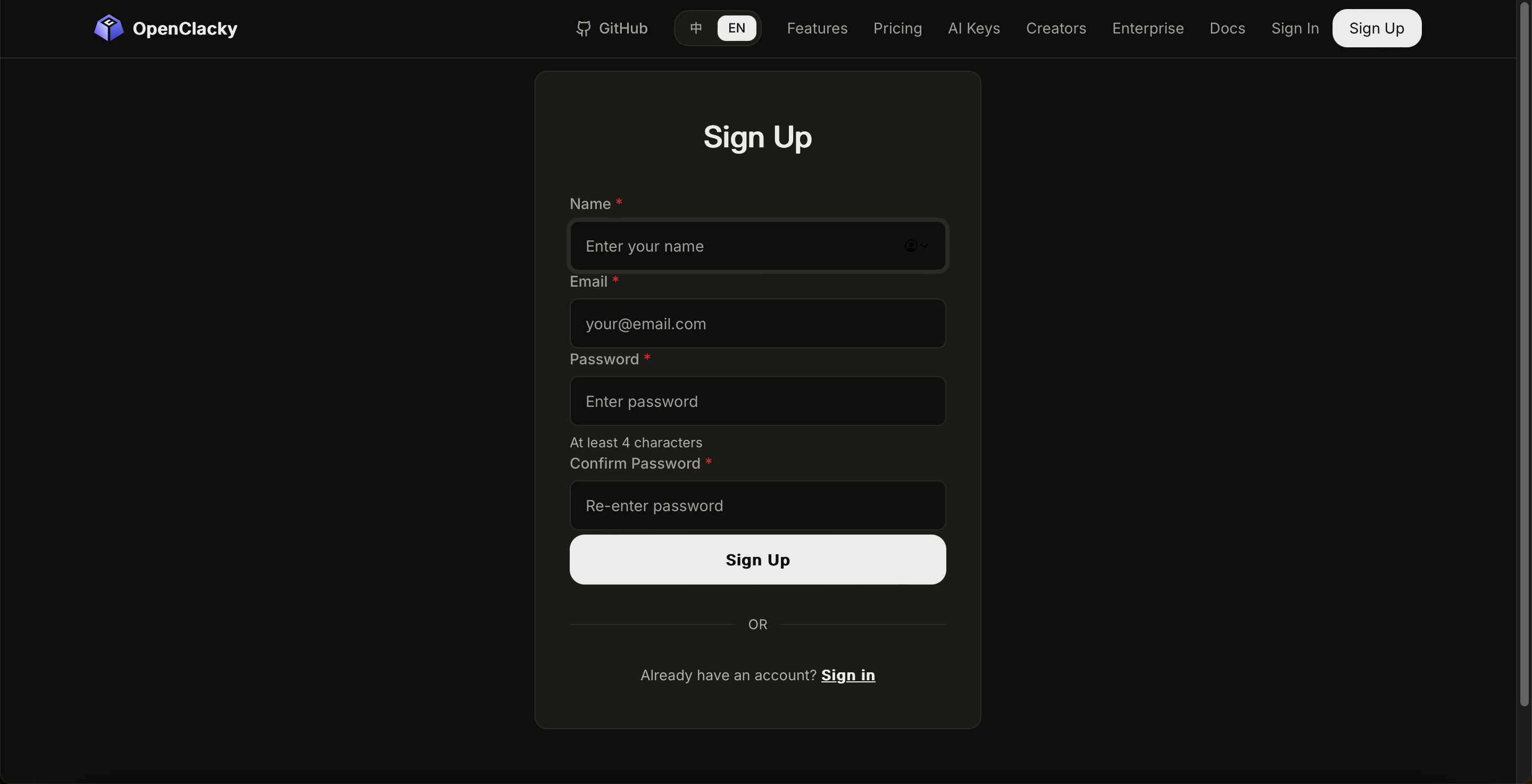
Step 1: Create an OpenClacky Account
- Go to the OpenClacky website: https://www.openclacky.com/ai-keys
- Click Sign in / Sign up in the top right
- Follow the prompts to complete registration
Step 2: Top Up
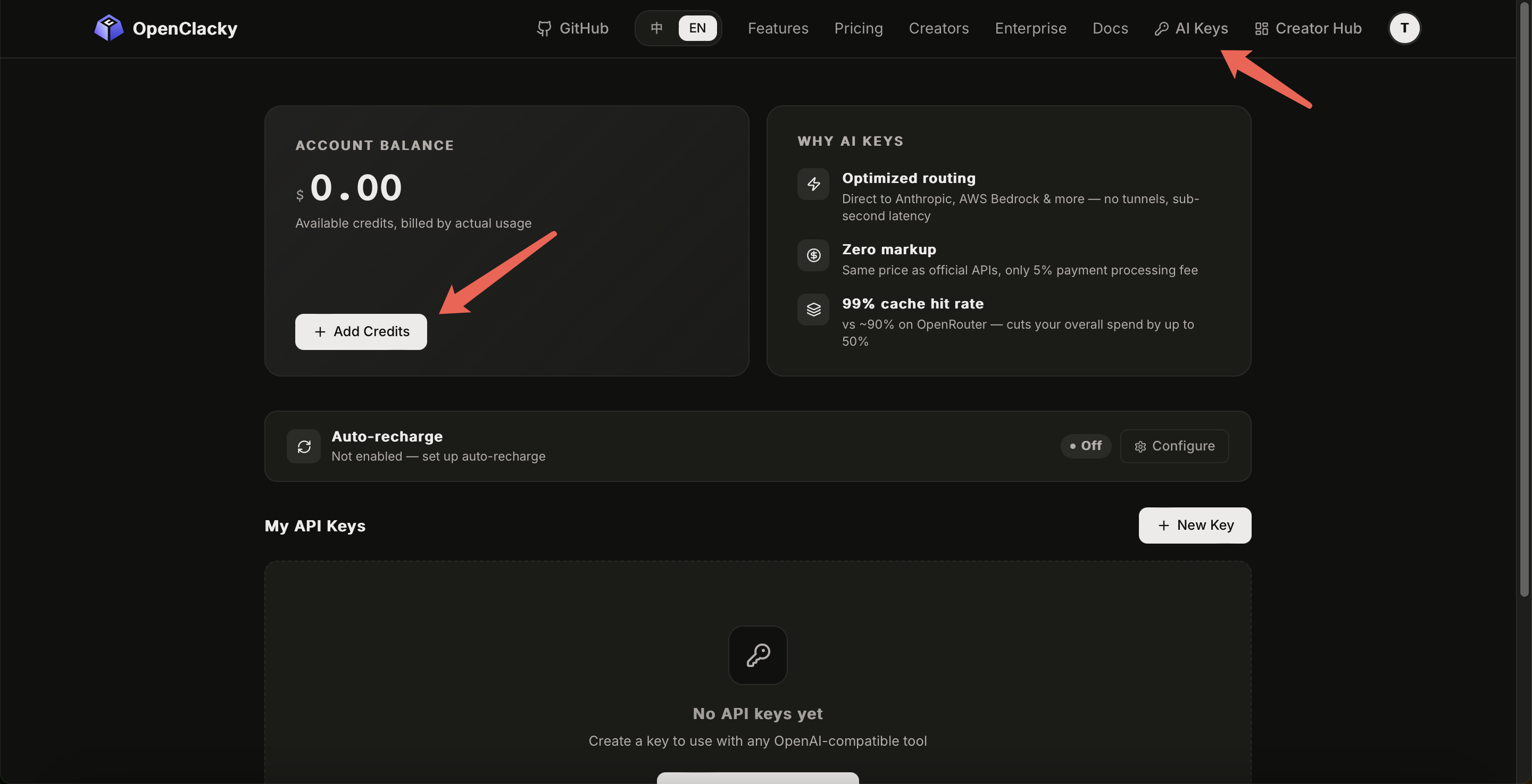
After signing up or signing in, you'll land directly on the AI Keys page — click Add Credits and choose an amount to complete payment. You can also reach it any time via AI Keys in the top navigation. Payment methods:
- Alipay
- Bank card
Step 3: Create an API Key
- Click Create Your First Key or the New Key button
- Give it a recognizable name (e.g.
openclacky-mac), choose whether to enable Quota Limit and Expiration as needed, then click Create Key - Copy the generated Key
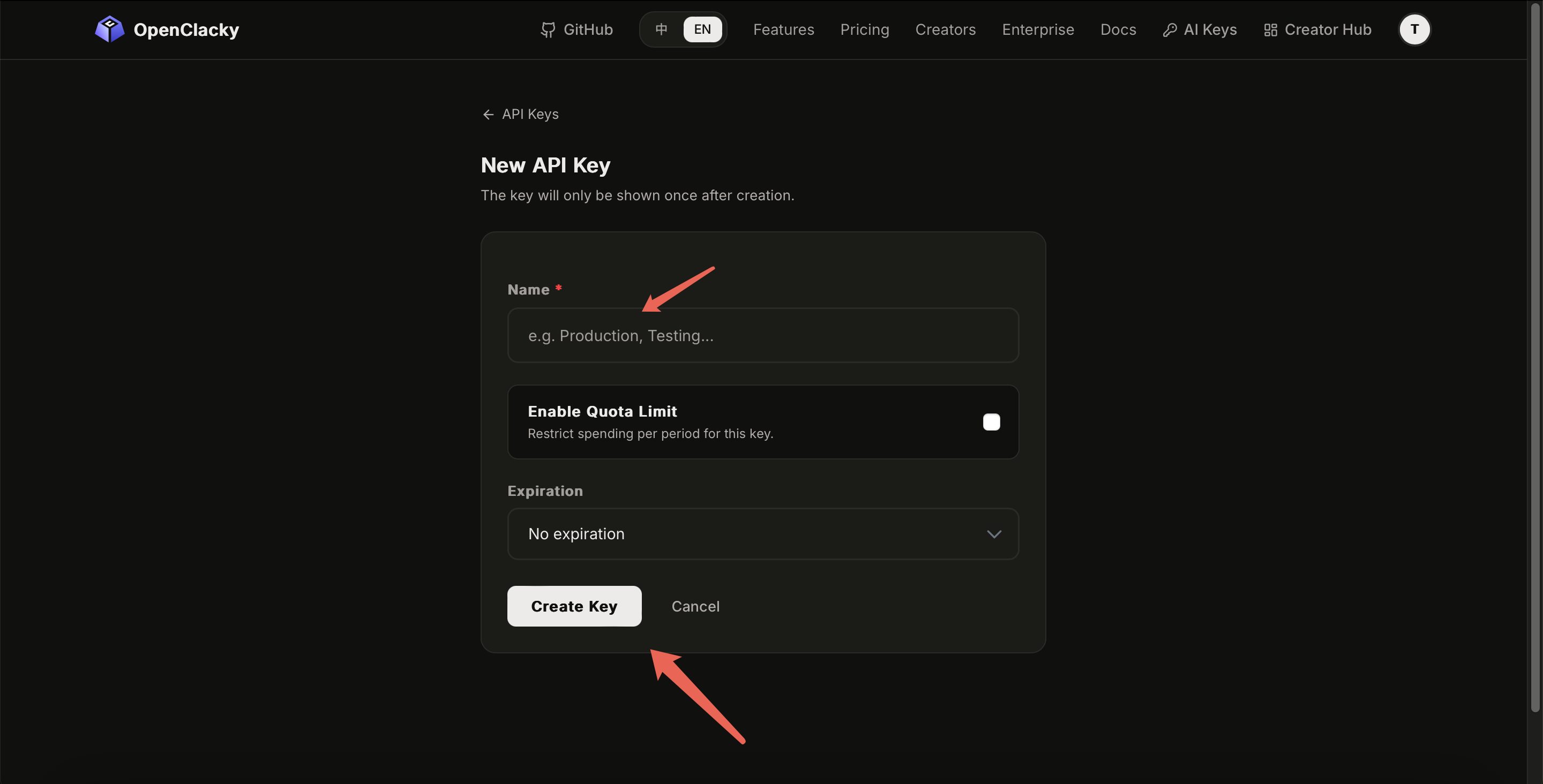
⚠️ The full Key is shown only once. Once you close the dialog it's gone. Copy it immediately and paste it somewhere safe or use it to configure your model right away.
Step 4: Configure in the OpenClacky Client
Open the Connect AI Model page in OpenClacky, or add a model under Settings → AI Models:
- Provider dropdown → select OpenClacky
- Model dropdown → pick any supported model (you can switch anytime without changing the Key)
- Base URL — leave it as is, already built in
- API Key — paste the Key from Step 3, click Test & Continue
A success message means you're all set. To change models later, go to Settings → AI Models, find the config, and switch from the Model dropdown — no need to reconfigure.
📖 See AI Key Supported Models for the full list of supported models.
FAQ
Q1: Is pricing the same as buying from the source?
Close to source pricing, with only a small bank processing fee (5%). In return you get a single account managing everything and zero multi-provider hassle.
Q2: Is it slower than using each provider's Key directly?
OpenClacky calls each provider's official API with a thin routing layer on top. Added latency is in the millisecond range — not noticeable in normal use.
Q3: Which models are supported?
Mainstream models like DeepSeek. The list keeps growing — see AI Key Supported Models for the current list.
Q4: I forgot to save my API Key!
Just create a new one on the API Keys page. Delete the old one to prevent leakage.
Q5: How do I track spending?
Go to AI Keys → My API Keys → find the key → "..." menu → View Details to see daily usage and spend broken down by model and by Key.