Buy a DeepSeek API Key
DeepSeek offers one of the best price-to-performance ratios on the market, with strong Chinese and coding capabilities. This guide walks you from zero to a working API Key in about 5 minutes.
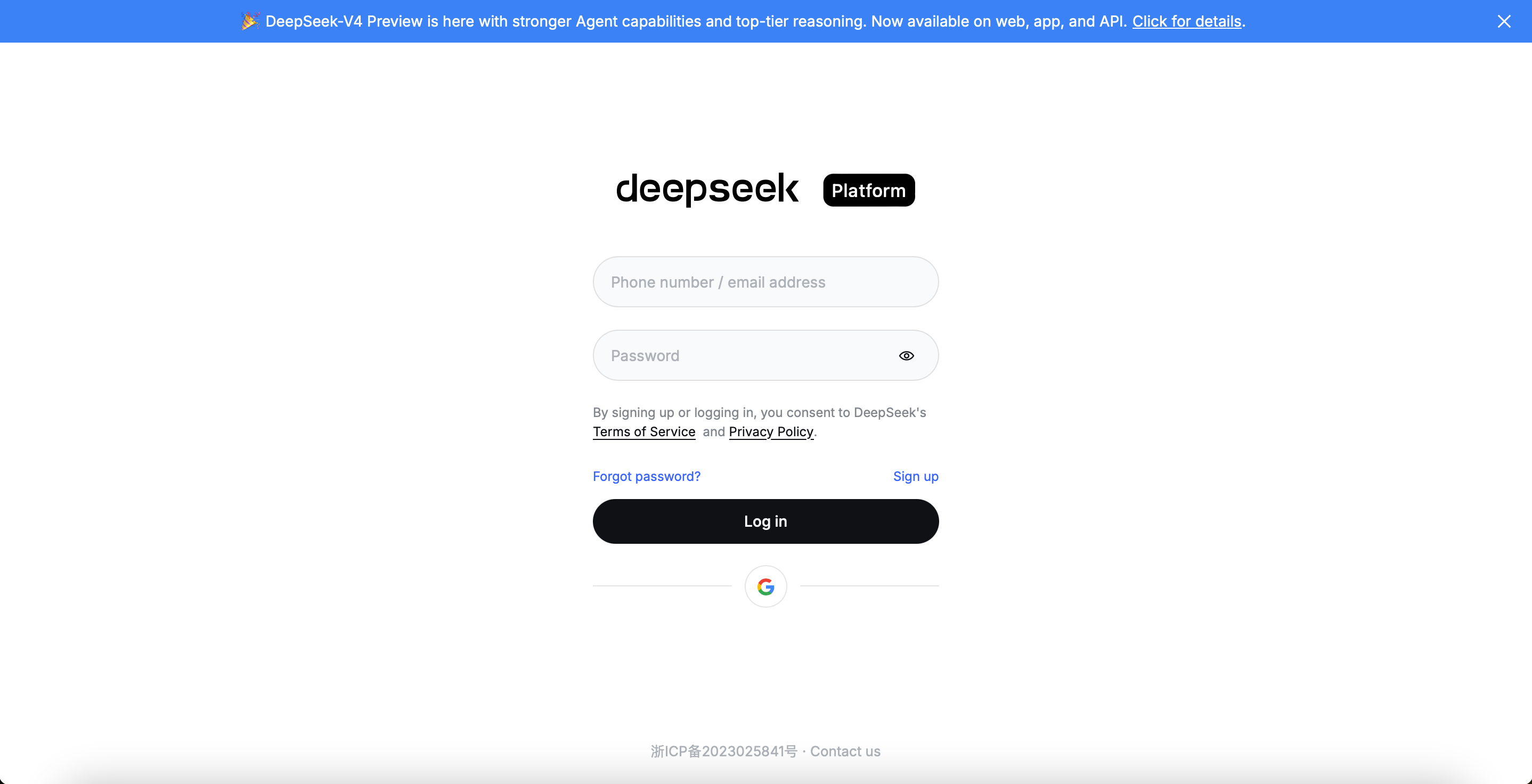
Step 1: Create a DeepSeek Account
- Go to the platform: https://platform.deepseek.com
- Click Sign in / Sign up in the top right
- Supported sign-up methods:
- Google account
- Follow the prompts to complete registration and sign in
Step 2: Top Up
- Open the Top Up page from the sidebar
- Pick a top-up amount (starts at $2)
- Pay with PayPal or a debit / credit card
- Complete payment — balance credits instantly
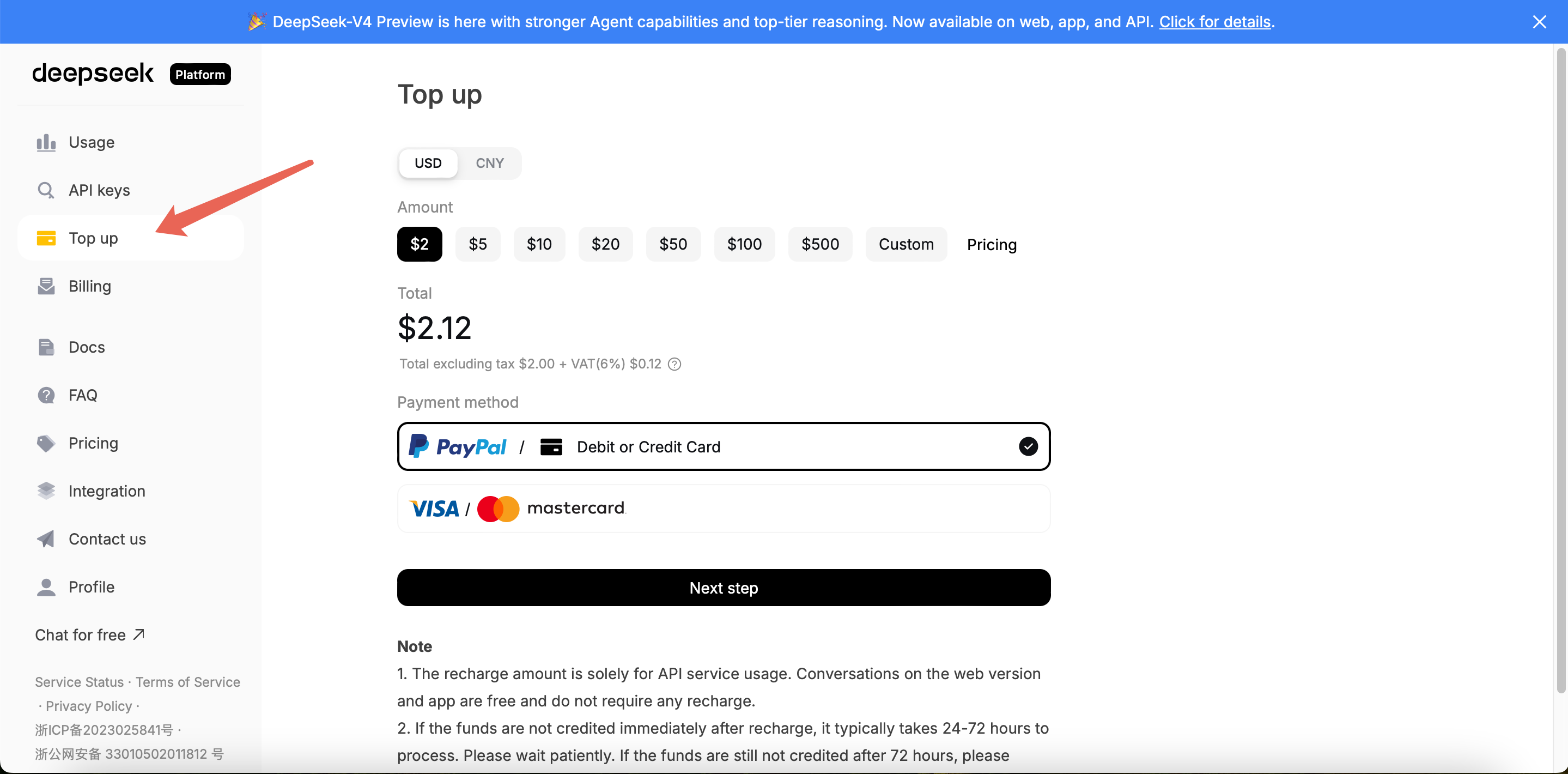
⚠️ DeepSeek balance is non-refundable — don't top up more than you'll use.
Step 3: Create an API Key
- Go to API Keys in the sidebar
- Click Create API Key
- Give it a recognizable name (e.g.
openclacky-mac) - Confirm and copy the generated Key
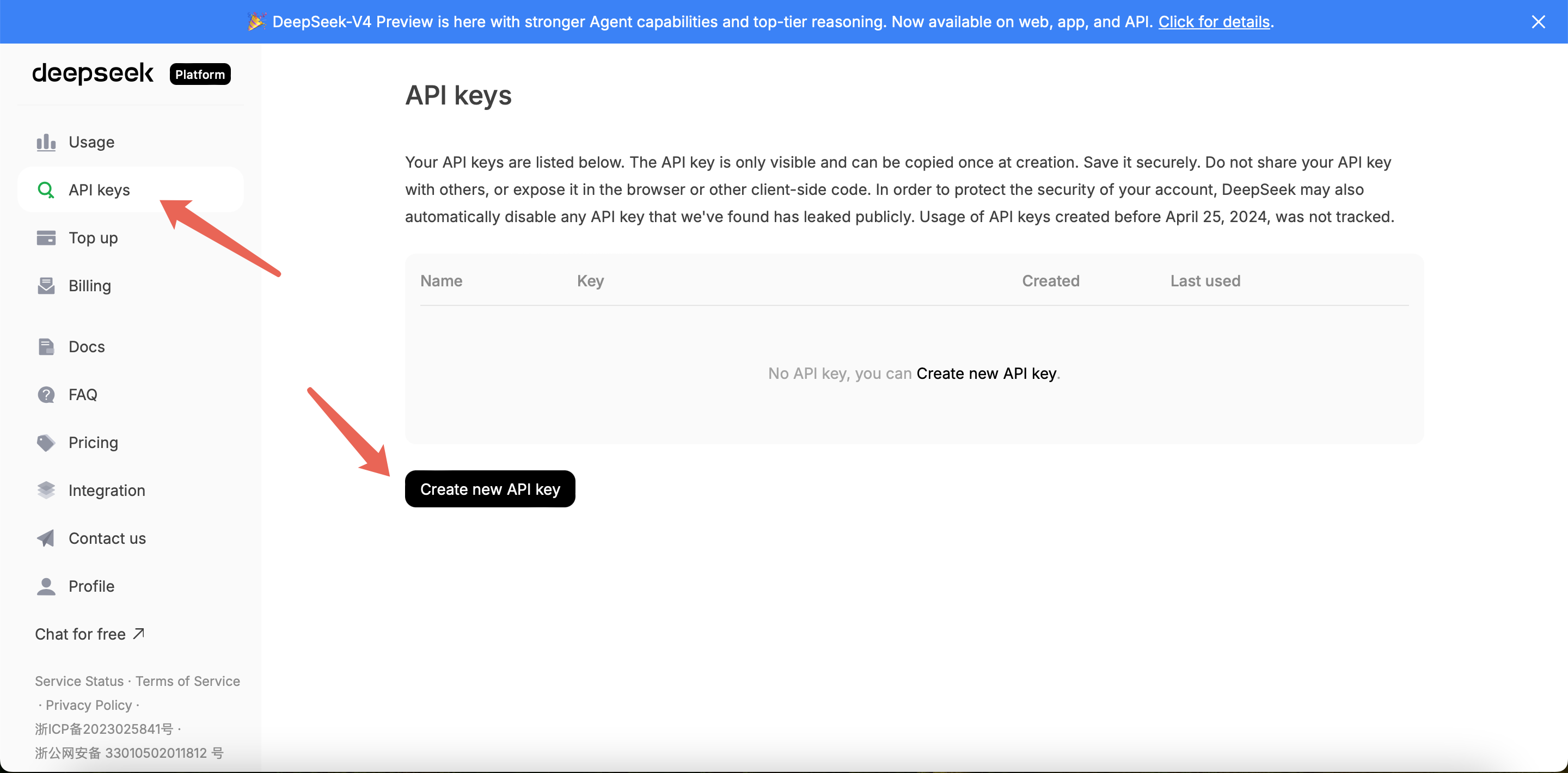
⚠️ The full Key is shown only once. Once you close the dialog, you can't view it again. Use it to configure your model right away, or paste it somewhere safe first.
Step 4: Configure in OpenClacky
Open the Connect AI Model page in OpenClacky and do 4 things:
- Provider dropdown → select DeepSeek
- Model dropdown → pick
deepseek-flash(fast, good for everyday) ordeepseek-v4-pro(slower but stronger at complex reasoning & debugging) - Base URL — leave it as is, already built in
- API Key — paste the
sk-...from Step 3, then click Test & Continue
A green checkmark means you're good to go.
FAQ
Q1: What if my balance runs low?
Just top up — no need to re-register. Balance credits instantly after payment.
Q2: What's the difference between deepseek-flash and deepseek-v4-pro?
deepseek-flash: Fast and cheap, good for everyday tasksdeepseek-v4-pro: Stronger at deep reasoning, best for complex problems and debugging
Q3: Access is slow from my region?
DeepSeek's API is fast from most regions. If you see latency, check your local network or try a different time of day.
Q4: I forgot to save my API Key!
Just create a new one on the API Keys page. You can delete the old one to prevent leakage.
Q5: How do I track spending?
The Usage page shows daily token usage and spend per Key.